You’ve got a line at the door and seconds to decide. This 2026-ready, Pennsylvania-specific checklist gives campus and event security a fast, repeatable flow to screen IDs—focusing on visual, tactile, and UV tells found on the 2017 and 2022 PA designs.
Key takeaways
- Pennsylvania has multiple valid designs in circulation; older cards remain valid until they expire, so don’t reject an unexpired legacy card solely for its look, per PennDOT’s transition notes in the New Driver License Design overview.
- Expect layered security: a ghost portrait, intricate guilloche background, a dynamic look‑through element visible when tilted, laser perforation that shows when backlit, and a fixed UV fluorescence response on newer issues (see PennDOT’s 2022 update page above and the 2017 feature reference in PennDOT Pub 802).
- The REAL ID gold star only signals federal use eligibility; it doesn’t prove authenticity. See official samples on PennDOT’s REAL ID images.
- When something feels off, escalate: quick UV check (365 nm), scan the PDF417 barcode to compare key data to the print, ask one or two control questions, and follow your venue’s refusal and logging policy.
The 10-second PA ID quick-check: how to spot a fake Pennsylvania ID
- Face-to-photo match in one glance. Look at jawline and ears, eye spacing, and hairline. Ask the guest to briefly remove a hat or mask. Keep the card in your hand.
- Scan the background and ghost image. Pennsylvania’s design uses a fine guilloche pattern and a small ghost portrait alongside the main photo. On authentic cards, lines are crisp—not blurry or banded—per design cues in PennDOT’s overview linked above.
- Tilt for the dynamic look‑through element. Under direct light, newer cards show a gold‑tint feature that appears as you change the angle—a sign of optically variable security described by PennDOT’s 2022 materials.
- Backlight for the laser perforation. Hold the card up to a small light: you should see a Keystone outline with “PA” formed by clean micro‑holes, not just printed dots. This back‑through feature is documented in PennDOT Pub 802 (2017 security features).
- Do the age math and expiration in one pass. Confirm the card isn’t expired and that the birthdate clears 18+ or 21+. If the format looks under‑21 (orientation or age banner in official samples), double‑check the dates against today.
- Check the edges and feel. Genuine cards feel rigid with clean, uniform edges. Obvious peeling, ripples, or a bubbly laminate are red flags.
- Sanity‑check printed data. Scan for typos or odd spacing in the name, city, or “Pennsylvania.” One anomaly isn’t proof—stack it with another failed tell before you escalate.
If something feels off, escalate smartly
-
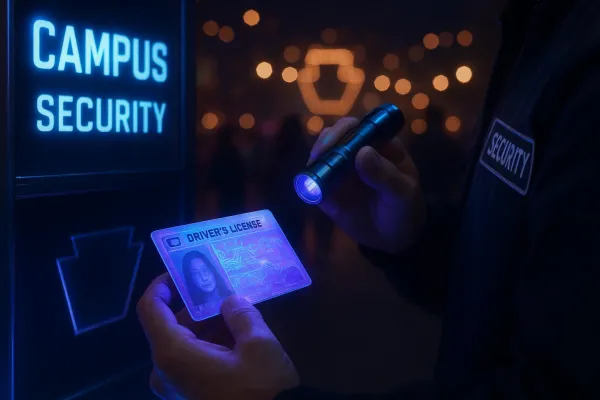
UV check first. Under a 365 nm light, newer Pennsylvania credentials show a fixed fluorescence response on specific elements. A dull card or an all‑over glow instead of defined responses is suspicious; PennDOT describes UV behavior at a high level in the New Driver License Design overview.
-
Scan the barcode. Use a 2D reader to capture the PDF417 and compare the decoded name, date of birth, and expiration to the printed fields. Mismatches can signal tampering; treating barcode–print parity as a standard verifier practice aligns with AAMVA’s public guidance on DL/ID data encoding.
-
Ask one control question. Calmly confirm a detail from the card (ZIP code or middle name) while keeping possession of the credential.
-
Make a clear, neutral decision. If you’re not satisfied, do not admit or serve. The Pennsylvania Liquor Control Board outlines acceptable “proof of carding” practices and emphasizes staff discretion; see the guidance summarized on PLCB’s Fake IDs page.
Suggested refusal script: “I can’t accept this ID based on our policy. If you have another form, I can review that. Otherwise, I can’t allow entry tonight.”
For incident notes, record date and time, your name or ID, the credential type, what failed (e.g., no UV response and barcode–DOB mismatch), and the outcome. Follow campus policy on photos and whether to involve campus police; don’t seize IDs unless your policy explicitly allows it.
Pennsylvania-specific nuances to remember
-
Multiple valid designs circulate. The 2017 feature set (including laser perforation) and the 2022 refresh with the dynamic look‑through element are both common in 2026. Authenticity is about features working together, not a single design cue.
-
REAL ID versus standard. The gold star means the card is REAL ID‑compliant for federal purposes. Security printing is otherwise comparable across PA products; the star alone neither proves nor disproves authenticity. See official examples in PennDOT’s REAL ID images.
-
Common counterfeit patterns. Printed faux perforations instead of true light‑through holes; blurry guilloche or smeared micro‑lines; a barcode whose data doesn’t match the front text; UV that either doesn’t light at expected spots or glows indiscriminately. One miss is a clue—two or more tells justify refusal.
What to carry at the door
- UV flashlight at 365 nm for quick fluorescence checks.
- 2D barcode scanner that reads PDF417 for data parity.
- Small flashlight or phone light to backlight the laser perforation.
Here’s the deal: practice this flow until it’s muscle memory. Print this checklist for training, and keep the official visuals handy through PennDOT’s New Driver License Design page so new staff can see what authentic Pennsylvania ID security features look like in the real world.