When you’re at the register with a line building, you need a fast, reliable way to decide: accept the ID or refuse the sale. This guide shows you how to spot a fake ID in 10–20 seconds using simple look–feel–scan steps, then go deeper with UV and barcode checks when something feels off. You’ll also find state-by-state highlights you can verify at the counter, plus scripts to keep refusals calm and compliant.
Key takeaways
• Use a layered flow: Look (photo/age/expiration), Feel (card body/edges/raised text), Scan (PDF417 barcode and compare to print).
• Cross-checks beat guesswork: If the decoded barcode data doesn’t match the printed name, DOB, or expiration, treat it as a likely counterfeit.
• State differences matter, but don’t chase secrets: Compare against current DMV visuals when available; rely on barcode + general tactile/visual cues where public details are limited.
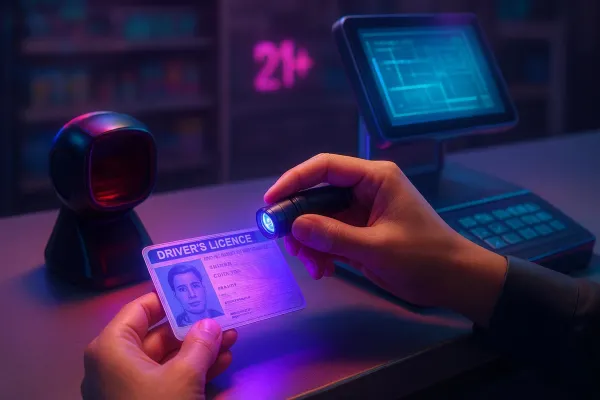
• Tools help, but judgment leads: A PDF417-capable scanner and a 365 nm UV flashlight raise accuracy without slowing the lane.
• Compliance first: Follow FDA Tobacco 21 and DEA CMEA rules; use refusal scripts to de-escalate.

Your 10–20 Second POS Checklist to Spot a Fake ID
1. Look (5–7s): Match the customer to the photo. Scan the birthdate and expiration with your eyes. If the card shows an under‑21 orientation, confirm the age math fits today’s date.
2. Feel (3–5s): Run a fingertip across any raised or laser‑engraved text. Check edges for clean construction; watch for bubbling, peeling, or flimsy plastic.
3. Scan (5–10s): Scan the back PDF417 barcode. Confirm the decoded name, date of birth, expiration, and ID number match what’s printed. If your device shows the issuing state/jurisdiction from the header, make sure it matches the card you’re holding.
4. Decide: If everything aligns and behavior is normal, proceed. If something’s off, pause the sale and go to deeper checks or call a supervisor.
Here’s the deal: learning how to spot a fake ID isn’t about memorizing every micro‑feature. It’s about catching inconsistencies in seconds and using your tools to confirm.

PDF417 Basics Cashiers Should Know
AAMVA—the American Association of Motor Vehicle Administrators—defines how the 2D barcode on U.S. driver’s licenses and IDs is structured. The 2025 DL/ID Card Design Standard explains the data ele-ments and header that scanners read. See the official document in the AAMVA DL/ID Card Design Standard 2025.
Common decoded fields include last name (DCS), first name (DAC), date of birth (DBB), expiration (DBA), issue date (DBD), and ID number (DAQ). The header typically contains an Issuer Identification Number (IIN) that identifies the state. You can learn more from AAMVA’s overview of Issuer Identification Numbers.
Your practical cross‑checks: If the scanner can’t parse an AAMVA record, re‑scan. If repeated attempts fail, treat as a red flag. Name, DOB, expiration, and ID number should decode cleanly and exactly match what’s printed. Expiration must be in the future, and under‑21 logic should make sense.
Think of the barcode as a second copy of the front: if the two “copies” disagree, stop the sale and escalate.

State Highlights You Can Verify at the Counter
Public details vary by state. Use these highlights as general guidance and always compare against offi-cial samples when available.
Texas
Texas’ latest design uses a polycarbonate card body with laser‑engraved, tactile elements and a dy-namic look‑through feature. REAL ID compliance is indicated with a laser‑engraved star. These cues support your look/feel checks and pair well with barcode validation. See the official Texas DPS DL‑73 guide for overview details.
New York
New York’s redesign introduced embossed text and images, multiple laser imaging with clear windows, and a motorist photo that reveals birth month and year at different angles. Enhanced documents fea-ture an exposed embedded chip. Review the NYS DMV security features announcement for eye‑ and touch‑verifiable cues.
California
California announced a 2025 redesign with advanced security features, removal of the magnetic stripe, and a digital security signature added to one of the back barcodes. Existing cards remain valid until they expire. Because granular public micro‑features are limited, lean on visual/tactile cues and barcode cross‑checks. Review the California DMV redesign release for the high‑level changes.
Pennsylvania
Pennsylvania describes a guilloche security design with an optically variable ghost portrait that fluo-resces under UV and a dynamic look‑through element. Use UV where permitted and cross‑check the barcode.
Ohio
Ohio public materials emphasize REAL ID compliance indicators and centralized secure production rather than listing micro‑features. At the counter, rely on barcode + general look/feel checks and con-firm the REAL ID star when relevant.
Florida and Illinois
Public, citable micro‑feature lists were not reliably accessible in this research session. Use conservative practice: rely on barcode cross‑checks, general tactile/visual cues (raised printing, crisp microprint, clean edges), and the REAL ID indicator where present. For the latest visuals and guidance, check each state’s official DMV or driver services website.
Tools That Help at POS (Pros and Cons)
|
Tool |
What it does |
Pros |
Cons |
|
PDF417capable barcode scanner |
Decodes AAMVA data to compare with the printed card |
Fast, objective, integrates with POS |
Needs good parsing; glare/dirty optics can cause read failures |
|
365 nm UV flashlight |
Reveals UV fluorescence where documented |
Cheap, quick secondary check |
Some fakes include generic UV; you must know expected patterns |
|
10× magnifier |
Lets you inspect microprinting and guilloche lines |
Confirms print quality; portable |
Slower; requires practice |
|
Multispectral desktop scanner |
Captures UV/IR/pressure features |
Highest detection; good for back office |
Costly; not typical at a standard lane |
Troubleshooting and Refusals Without Drama
When scans fail repeatedly, clean the lens, adjust angle and distance, reduce glare, and try again. If it still fails or the decoded data doesn’t match the printed text, treat it as likely counterfeit or altered, pause the sale, and call a supervisor. If the ID is expired or under‑21 logic doesn’t add up, refuse the sale per policy and document what you observed.
Ready‑to‑use refusal lines
I can’t complete this sale because the ID information doesn’t match our verification checks.
Our policy requires me to confirm the barcode matches what’s printed. It didn’t, so I’m not able to proceed.
Because I can’t verify the ID is valid, I’m refusing the sale. A manager can answer questions.
Compliance Guardrails Every Retailer Should Know
- Tobacco 21: Check photo ID for anyone who appears under 30 and sell only to customers 21 or older. See the FDA’s retailer guidance in Tobacco 21 resources.
- Pseudoephedrine (CMEA): Keep products behind the counter or locked, verify government photo ID, log sales, enforce 3.6 g/day and 9 g/30‑day limits, and retain records for at least two years. See the DEA’s Pharmacist’s Manual(EO-DEA154R1)_Pharmacist's_Manual_DEA.pdf).
- REAL ID cue: A star in the upper‑right corner indicates a REAL ID‑compliant credential for federal purposes; it’s a helpful cue, not a guarantee of authenticity. See USA.gov’s REAL ID guide.
One-Page Pocket Checklist (Printable)
Ask for the ID before you ring the age‑restricted item. Look for a believable photo match, DOB and expiration that make sense, and under‑21 orientation aligned with the age. Feel for raised or laser‑engraved text and clean, rigid edges—no bubbling or peeling. Scan the PDF417 and confirm that name, DOB, expiration, and ID number exactly match the print and that the jurisdiction aligns with the state shown. If any step fails, pause and escalate to a supervisor, then document the incident with time, lane, and the mismatch you observed.
Practice with your team on a set of sample IDs—ten cards, twenty seconds each. Master the flow now so you instinctively know how to spot a fake ID the next time it hits your counter.